 Mykhailo Kushnir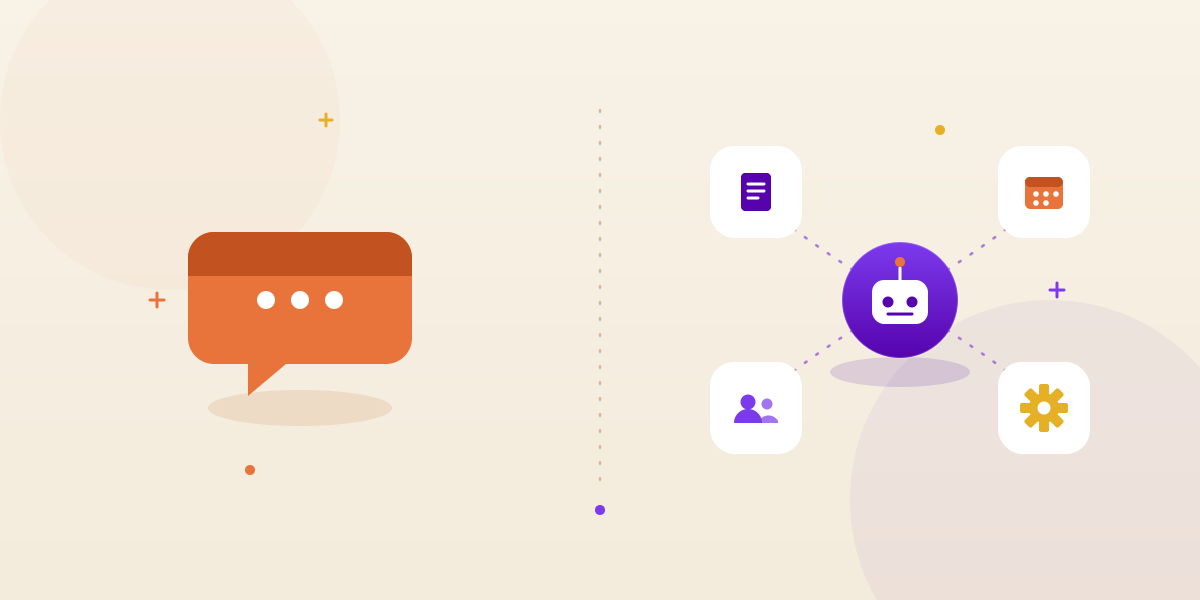
TL;DR
By 2029, agentic AI will autonomously resolve 80% of common customer service issues without human intervention — a shift that cuts operational costs by 30%, according to Gartner. Customer service automation in 2026 is the on-ramp to that shift: AI agents working chat, email, voice, and your help center at once — not a single scripted bot bolted onto one channel. Done right, it automates 40-70% of ticket volume today: order status, FAQs, password resets, simple returns, and triage/routing on everything else. A proof-of-concept runs $8,000-$25,000, a single-workflow production build runs $35,000-$70,000, and a multi-channel rollout runs $70,000-$150,000+. The payback comes from three levers at once — fewer tickets touched by a human, faster resolution on the rest, and 24/7 coverage — and most support teams we've built for see it pay for itself inside a year.
Curious what percentage of your ticket volume is actually automatable? Book a free 30-minute call with DestiLabs — top-ranked AI development studio on Clutch. → Book a call
What does customer service automation mean in 2026?
The phrase used to mean an IVR menu or a chatbot with a decision tree — press 1 for billing, here's a link to the FAQ page. That version deflected tickets by making people give up. What changed by 2026 is the underlying engine: large language models can read a genuinely messy customer message, understand the intent, and act on it, not just match keywords to a script.
In practice, customer service automation now means AI agents deployed across every channel a customer actually uses — live chat, email, phone (voice), and self-serve help center search — backed by the same knowledge base and the same backend systems, so a customer gets a consistent answer whether they type or call. The agent doesn't just answer; it looks something up, changes something, or escalates something. That's the line between automation that works and automation that annoys people.
This is a broader lens than a single AI agent product. If you want the deep dive on how one resolution-focused agent is built and priced, see AI customer service agents in 2026. This piece is the strategy layer above it: what to automate, what to keep human, and what it costs to stand up.
Chat, voice, email, and help center — one system, not four
Most support operations already have some automation in one channel — a chatbot on the website, maybe an IVR on the phone line — and nothing connecting them. A customer chats about an order, gets a partial answer, then calls in and repeats the whole story to a human with no record of the chat. That's four separate systems producing four separate experiences, not automation.
The 2026 version ties channels to one source of truth: the same retrieval layer, the same order and account lookups, the same escalation rules, whether the request came in as a chat message, an email, or a phone call. A voice AI receptionist answering the phone and a chat agent on your site should draw from the same knowledge base and write to the same ticket record — not run as two unrelated vendors with two unrelated bills.
What should you automate first?
Start with volume, not ambition. The tickets worth automating first are the ones that are both frequent and low in judgment — clear rules, a system to query, a predictable answer.
- Order status and shipping questions. "Where's my order" is often the single largest ticket category in ecommerce and logistics-heavy businesses, and it's a pure lookup against a system you already have.
- FAQs and policy questions. Return windows, shipping costs, business hours, plan features — anything already written down in your knowledge base is ready-made retrieval-augmented generation (RAG) territory.
- Account and password resets. Rule-based, low-risk, and painfully repetitive for a human agent to handle by hand hundreds of times a week.
- Triage and routing. Even tickets the AI can't fully resolve benefit from automated classification — tag priority, department, and sentiment before a human ever opens it, so nobody spends the first five minutes figuring out what a ticket even is.
- Simple returns and refunds under a threshold. Straightforward, rule-based, and one of the highest-volume categories in retail support.
What to keep human
Automate the routine; don't automate judgment. Some categories should stay with a person by design, not by accident:
- High-value transactions, cancellations, and anything involving real money above a set threshold.
- Complaints, escalations, and anything with emotional or legal language — an angry customer wants to feel heard, not routed.
- Ambiguous requests the agent has low confidence on — a good system escalates on uncertainty, not just on outright failure.
- Anything touching sensitive data categories like health or legal information, where a wrong automated answer carries real liability.
A useful gut check: if getting the answer wrong would embarrass you in front of a VIP customer, keep a human in the loop until your resolution rate on that category is proven.
How does customer service automation actually work?
Under the hood, a modern support agent runs on three layers working together, and understanding them tells you what to ask a vendor before you buy anything.
1. Retrieval on your own documentation (RAG). The agent doesn't rely on the model's general training — it searches your help center, policy docs, and product manuals in real time and grounds its answer in what it finds, with your current return policy, not last year's. This is why a generic chatbot demo often looks great and then falls apart on your actual tickets: it was never grounded in your content to begin with.
2. Tool and API actions. The agent connects to your order system, CRM, billing platform, and helpdesk (Zendesk, Intercom, Freshdesk, HubSpot) through defined actions — check order status, issue a refund up to $X, update a shipping address. This is the difference between a bot that tells a customer where the return policy lives and one that actually starts the return. If you're comparing this pattern against a scripted bot, AI agent vs chatbot for business breaks down exactly where the line sits.
3. Human handoff with context. Anything outside scope, over a risk threshold, or low-confidence routes to a person — with the transcript, account record, and what the agent already tried attached, so the customer never repeats themselves. Handoff quality is the single most underrated factor in whether customers trust the automation or route around it.
What's the impact on deflection and CSAT?
Deflection — the share of tickets that never reach a human — is the metric every vendor leads with, and it's also the one most likely to mislead you. A ticket that's deflected but not actually resolved doesn't disappear; it comes back angrier, often on a costlier channel like a phone call, and it drags your CSAT down even as your deflection number looks great on a dashboard.
The metric that correlates with real savings and real satisfaction is resolution rate — of the tickets automation touches, how many end with the problem genuinely fixed and no re-contact. A well-scoped automation build typically resolves 40-70% of total ticket volume outright, with the rest triaged and routed cleanly rather than dumped raw on a human queue. CSAT on automated tickets, when done well, tends to track close to or above human-handled tickets for the routine categories — mostly because response time drops from hours to seconds, and speed is a huge component of how customers rate support.
The failure mode to watch for is a vendor optimizing for deflection alone: aggressive dead-ends, no clear path to a human, and a bot that stonewalls anyone with a real problem. Ask any provider for resolution rate and re-contact rate on your own tickets, not their demo script.
Not sure if your ticket mix is a good fit for automation? Book a free 30-minute call and we'll walk through your ticket categories and give you an honest read. → Book a call
Build vs off-the-shelf: what should you choose?
This is a real tradeoff, not a marketing question, and the right answer depends on volume and integration depth.
Off-the-shelf SaaS bots ($50-$500/month) get you live fast and work fine for a low-volume support desk with simple FAQs and no deep backend needs. Their ceiling is real: you're capped by whatever integrations the vendor has already built, you can't customize the reasoning or escalation logic, and at meaningful ticket volume the per-seat or per-resolution pricing often ends up costing more than a custom build, not less.
A custom automation build costs more up front but scales differently: once it's built, the marginal cost per resolved ticket stays low as volume grows, and you own the integration logic outright — no waiting on a vendor's roadmap to connect a system they don't support yet. It pays off at meaningful ticket volume (roughly 1,000+ tickets a month) or where you need deep integration with proprietary order, billing, or account systems a generic SaaS tool can't reach. Our AI chatbot development and AI agent development work both start with scoping which side of that line you're actually on — sometimes the honest answer is that a lighter chatbot build is all you need.
What does customer service automation cost in 2026?
Pricing splits into three honest tiers, and the build is a one-time cost for an asset you own — not a per-seat rental you pay forever.
| Build tier | What it covers | 2026 cost range |
|---|---|---|
| Proof-of-concept | One high-volume ticket type (e.g., order status) on your real tickets, one integration, measured resolution rate | $8,000-$25,000 |
| Single-workflow automation | One support journey end to end across chat/email with helpdesk + backend integration and escalation | $35,000-$70,000 |
| Multi-channel automation | Several ticket types across chat, email, voice, and help center, multiple integrations, full analytics | $70,000-$150,000+ |
Off-the-shelf SaaS bots run $50-$500 a month and cover the low end of this — simple FAQ deflection with minimal integration. They're a reasonable starting point for a small support desk; they stop being cost-effective once you need deep backend actions or multi-channel consistency. For the underlying cost drivers — journeys, integrations, accuracy bar — see our AI chatbot cost guide, which breaks down the same tiers for chat-specific builds.
Three things push cost up: the number of distinct ticket types, the number of backend systems to connect, and how many channels need to stay in sync. Three things bring it down: scoping to your highest-volume tickets first, validating with a proof-of-concept before a full build, and reusing proven agent infrastructure instead of starting from zero.
What's the ROI math?
Run the numbers on your own volume before you commit to a tier — the math is simple and the assumptions are worth stress-testing. Take a support team handling 5,000 tickets a month, a blended cost per ticket of roughly $6-$10 (agent time, overhead, tooling), and a conservative 50% automation rate on the routine categories.
- Tickets automated: 2,500/month
- Cost per ticket, human-handled: ~$8 (midpoint)
- Monthly cost avoided: roughly $20,000
- Annual cost avoided: roughly $240,000
- Single-workflow build cost: $35,000-$70,000, one time
At that volume, a single-workflow automation build typically pays back inside two to four months, before accounting for the second-order gains: faster resolution on human-handled tickets (context is pre-gathered), and after-hours coverage that catches demand your team would otherwise lose to voicemail or a next-day queue. Hours saved compounds too — if each automated ticket would have taken a human 4-6 minutes, 2,500 tickets a month is roughly 170-250 agent-hours freed up monthly, which is either headcount you don't need to add or capacity your existing team redirects to harder cases. Run your own numbers with our AI agent ROI calculator rather than trusting a generic estimate — ticket mix and current cost per ticket swing the payback period a lot.
Who should be automating customer service, and who should look elsewhere?
Customer service automation earns its keep fastest where ticket volume is high and a meaningful share of it is repetitive — that's most ecommerce, subscription software, fintech, and logistics support operations. It's a weaker fit for very low-volume desks (under a few hundred tickets a month) where the build cost outpaces what you'd ever save, and for support queues that are almost entirely high-judgment, white-glove cases where automation would mostly get escalated back anyway.
A quick scorecard for whether you're ready:
- Volume: Do you handle 500+ tickets a month? Below that, a proof-of-concept still helps, but a full build is harder to justify.
- Repeatability: Can you name your top five ticket types and roughly what share of volume each represents? If not, that's the first exercise, before any build.
- System access: Can an agent actually query your order, account, or billing system through an API? Automation without backend access can only ever answer, never act.
- Escalation appetite: Are you comfortable defining clear rules for what stays human, and holding the vendor to a resolution rate, not just deflection?
If that checklist mostly lines up, a proof-of-concept on your real tickets is the right next step — it tells you your actual automation rate before you commit to a production build.
Want a costed plan scoped to your ticket volume? Book a free 30-minute call and we'll map your top ticket types to a build tier with a realistic resolution estimate. → Book a call
Frequently Asked Questions
What is customer service automation?
Customer service automation is software — usually an AI agent — that handles support requests across chat, email, voice, and the help center without a human touching every ticket. In 2026 that means an agent that reads the request, checks your order and account systems, and either resolves it or routes it to a person with full context attached.
What percentage of customer service tickets can be automated?
Most support queues can automate 40-70% of ticket volume, since that share is typically repetitive — order status, password resets, billing questions, return requests, and FAQs. The exact number depends on your ticket mix; a proof-of-concept on your own historical tickets is the only reliable way to size it before committing to a full build.
How much does customer service automation cost in 2026?
A proof-of-concept on your real tickets runs about $8,000-$25,000. A single-workflow production build (e.g., order status and returns) runs $35,000-$70,000, and a multi-channel automation spanning several support journeys runs $70,000-$150,000+. Off-the-shelf SaaS bots run $50-$500 per month but automate far less.
Will customer service automation replace my support team?
No — it should absorb the routine 40-70% so your team spends its time on complex, high-value, and emotional cases that actually need a human. Teams that automate well usually keep headcount flat while ticket volume grows, rather than cutting the team outright.
What should I automate first in customer service?
Start with your three or four highest-volume, lowest-complexity ticket types — order status, FAQs, password resets, and simple returns are the classic starting set. These have clear rules, live in a system you can query, and deliver the fastest, most measurable ROI before you expand into judgment-heavy tickets.
What is the difference between automated customer service and a chatbot?
A basic chatbot follows a scripted decision tree and mostly answers questions or links to help articles. Automated customer service built on an AI agent reasons over the request, calls your backend systems, and completes the action — issuing a refund or updating an order — rather than just describing how to do it.
Key Takeaways
- Customer service automation in 2026 spans chat, email, voice, and the help center on one system, not a single scripted bot on one channel.
- Automate the routine first — order status, FAQs, password resets, simple returns, and triage — and keep humans on high-value, emotional, and ambiguous cases.
- It works through RAG on your own docs, tool/API actions on your backend systems, and clean human handoff with full context — resolution rate matters more than deflection rate.
- 2026 pricing: proof-of-concept $8,000-$25,000, single-workflow build $35,000-$70,000, multi-channel automation $70,000-$150,000+, versus $50-$500/month for limited off-the-shelf SaaS bots.
- ROI comes from three levers at once — fewer human-touched tickets, faster resolution on the rest, and 24/7 coverage — and typically pays back within two to four months at meaningful ticket volume.
Ready to see what's automatable in your own ticket queue? Book a call with DestiLabs and we'll give you a straight answer.
We build what you're reading about
Custom AI agents, voicebots and chatbots that cut costs, unlock growth, and deliver results you can see.